
ACAI - Acceptance Criteria for AI
What is it?
Open-source tools to assist with spec-driven software development.- A simple spec format called
feature.yaml, that keeps your requirements organized and traceable. - A CLI for you or your LLM to push and pull specs, requirements, coverage, status and comments.
- A server and dashboard to facilitate QA, code review, and collaboration.
- A process and convention for identifying spec requirements from within your code comments and tests, to create a searchable, greppable connection between the two.
Very Quick Start
Acai can be incrementally adopted into any existing project.1
Specify
Write requirements and acceptance criteria in
feature.yaml spec files.2
Push
Run
acai push to extract the specs and push them to an Acai Server.3
Ship
Give your agents access to the cli so they can implement, review, self-assign and share status updates.
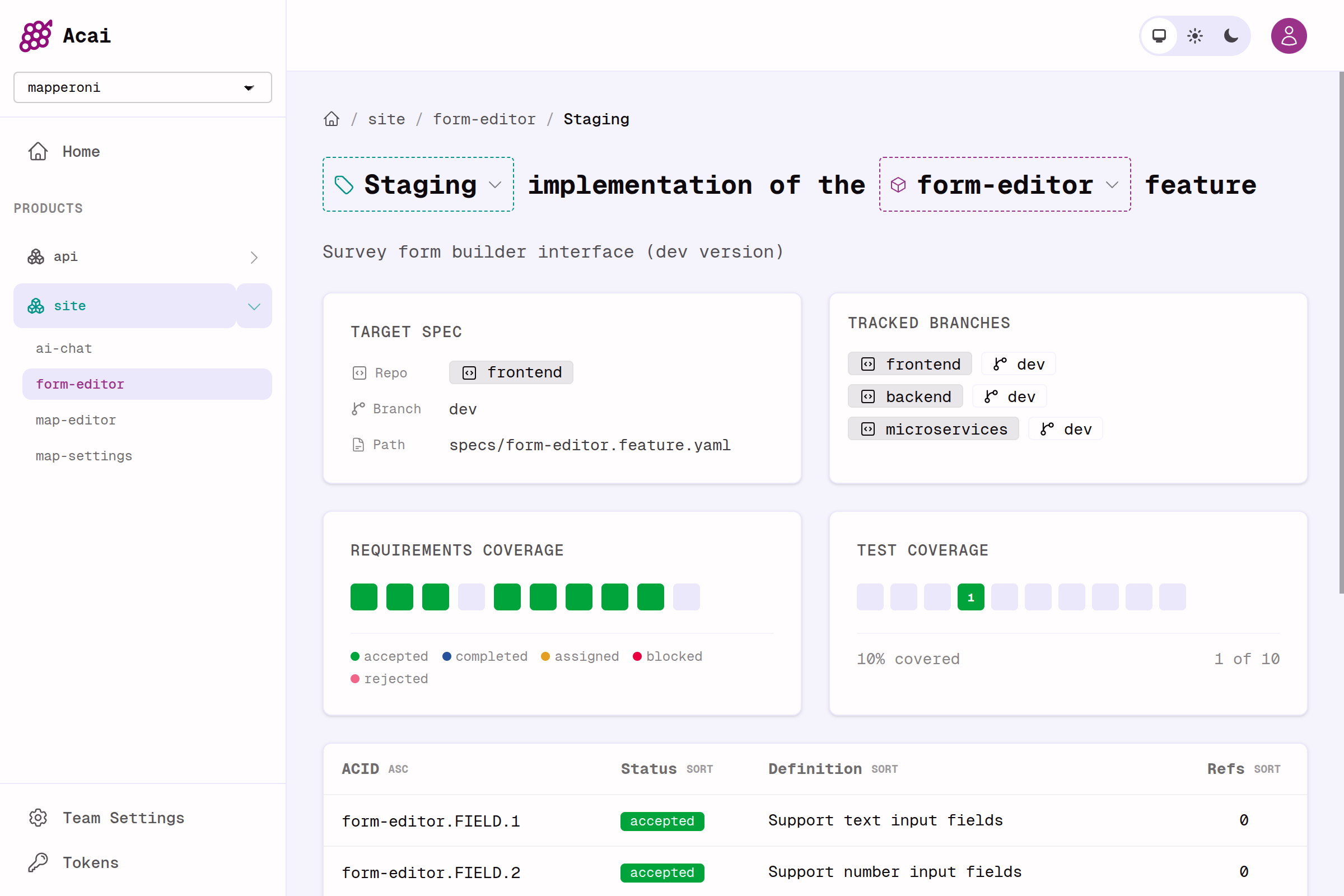
See implementation status at a glance
Key Features
Go beyond test coverage
Have all requirements been implemented?Do all implementations have tests?
Have humans QA’d and accepted the implementation?
Collaborative & multiplayer
Invite your team to a shared Acai dashboard, or create access tokens for AI agents and CLI access to the server.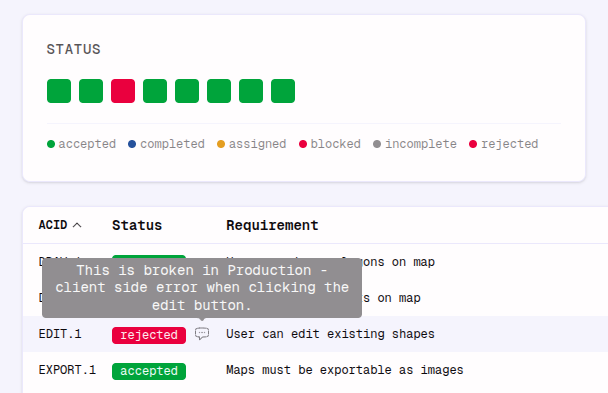
Useful tools for collaboration between humans or agents
No status -> Assigned -> Completed -> Accepted
Agent Code Reviewer
Any git workflow
Acai works with monorepos and polyrepos or any combination.- Monorepos containing many products with many specs and many branches (
main,devetc.) - Polyrepos where a feature may touch several branches on several git repos (frontend, backend, microservice etc.)
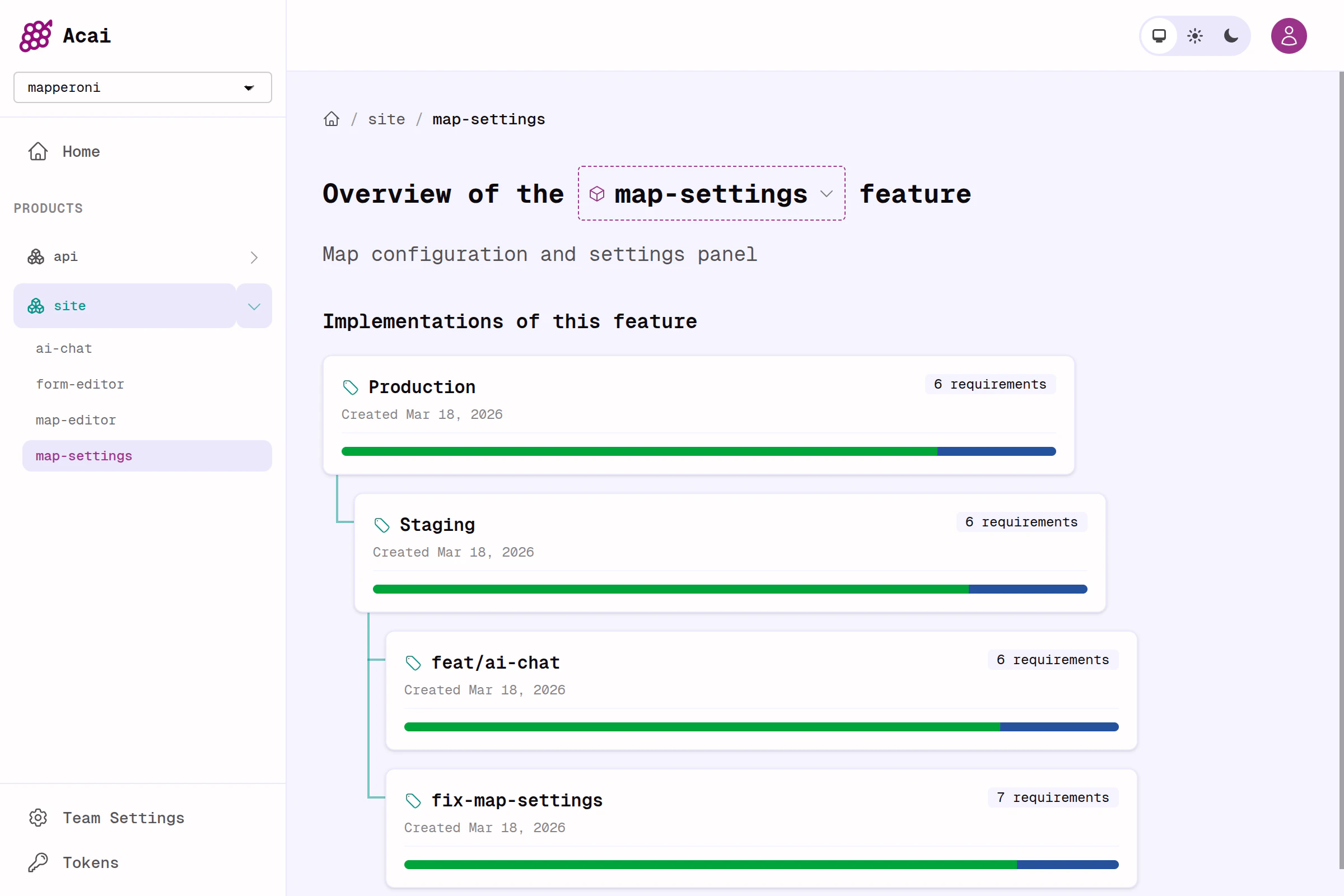
Acai handles the complex journey of a feature and it's spec, even across repos and branches
Grab context
Acai introduces the ACID system for referencing your spec from anywhere in your repo. This makes it easy to see exactly where a requirement has been implemented or tested, so you (or your agent) can improve test coverage, QA, and react to ever-changing requirements.Review code more effectively
Stop trying to read huge diffs from top to bottom. Instead, use the acai dashboard and jump straight to the functions, tests or comments that reference each requirement in your spec. Start by reviewing the requirements that matter most; auth, security, performance, and user happiness.Simple example
At the top of the page you can see a fun terminal animation we created as a demo of Acai in action. Below you can see the spec, code, and tests for that animation.Why acai?
Greppable, traceable
Greppable, traceable
LLM agents love Acai IDs. They make it easy to pull in context, find references, and trace the intent of an implementation or test.
Stable, durable
Stable, durable
Stop losing progress when agents go off the rails. Your spec is the source
of truth, even as complexity grows and requirements evolve.
Rapidly iterate
Rapidly iterate
Quickly prototype, try throwaway implementations, and solidify the spec
before touching production code. The result is less time prompting, and a
better end result.
No tedium
No tedium
In the past, this level of specification rigour was painful for human teams. Today, for an LLM with access to Acai, it’s painless.
Next steps
Quickstart
Get up and running. Write and implement your first spec.
Writing Specs
Introduction to acai specs, and best practices for spec-first software.