ACAI - Acceptance Criteria for AI
COMING VERY SOON
Acai.sh will be free and open-source. We are now accepting requests for early access & feedback.
What is it?
Open-source tools to assist with spec-driven software development.
This unlocks a spec-driven development workflow that replaces GitHub and Linear tickets. You, your agent swarm, and your product manager can stay in-sync while rapidly iterating on specs and their implementations.
Very Quick Start
Acai can be incrementally adopted into any existing project.Key Features
Turn your spec into tickets
Write simple, plain language, easy-to-read requirements. Runacai push and they are synced to your dashboard and surfaced to agents via API/CLI/MCP.
Empower agents
Acai becomes your agent’s source of truth. It empowers them to confidently self-assign, implement, review and fix work with minimal intervention.Monitor progress
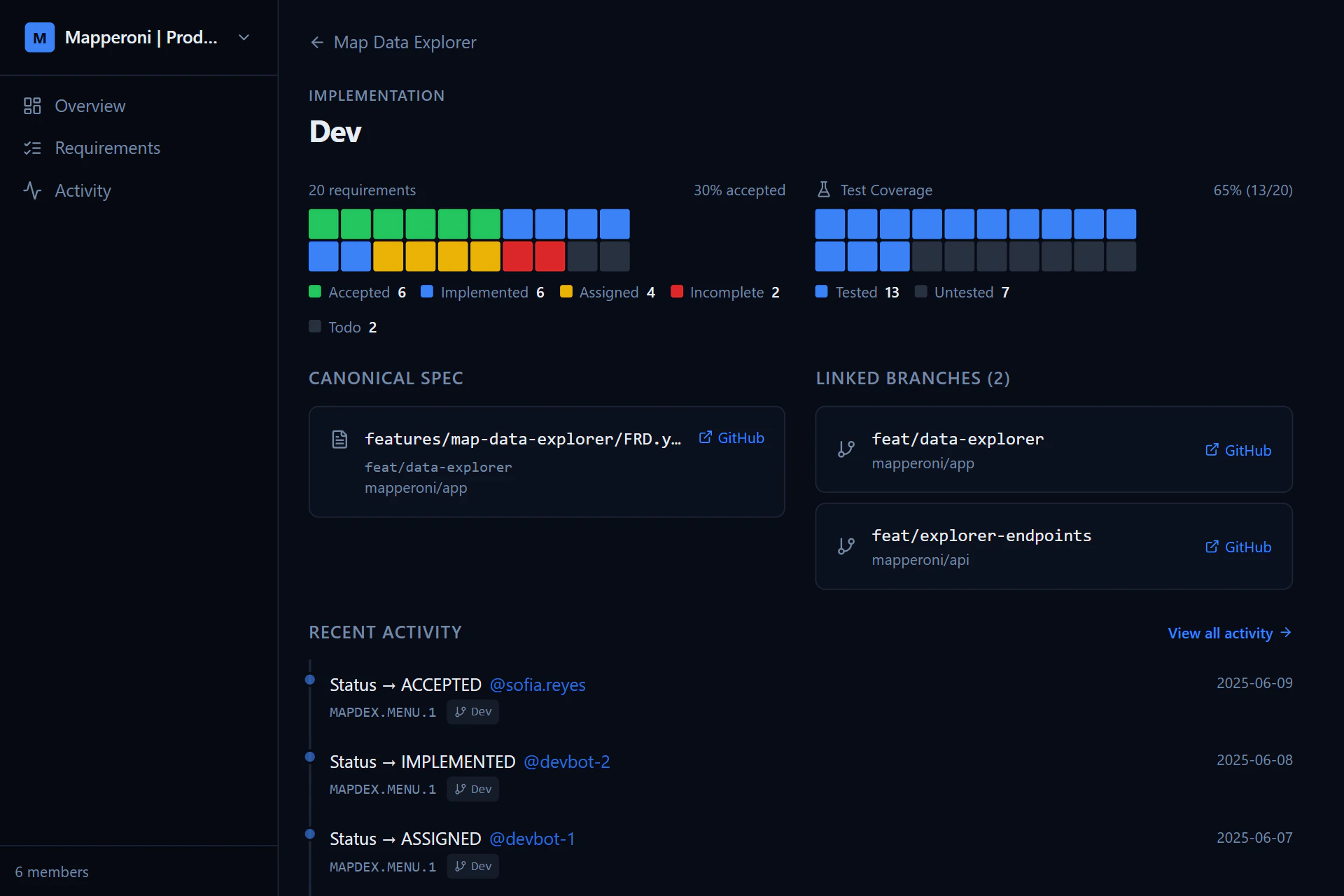
Track progress from spec, to implementation, to agent review, to human acceptance:TODO -> ASSIGNED -> IMPLEMENTED -> ACCEPTED
Agent Code Reviewer
See coverage
Have all requirements been implemented?Do all implementations have tests?
Have humans accepted the implementation?
Grab context
See exactly where a requirement has been implemented or tested. The time savings & token savings add up quickly.Review code more effectively
Stop reading massive git diffs. Instead, use the acai dashboard and jump straight to the functions, tests or comments that reference each requirement in your spec. Start by reviewing the requirements that matter most; auth, security, performance, and user happyiness.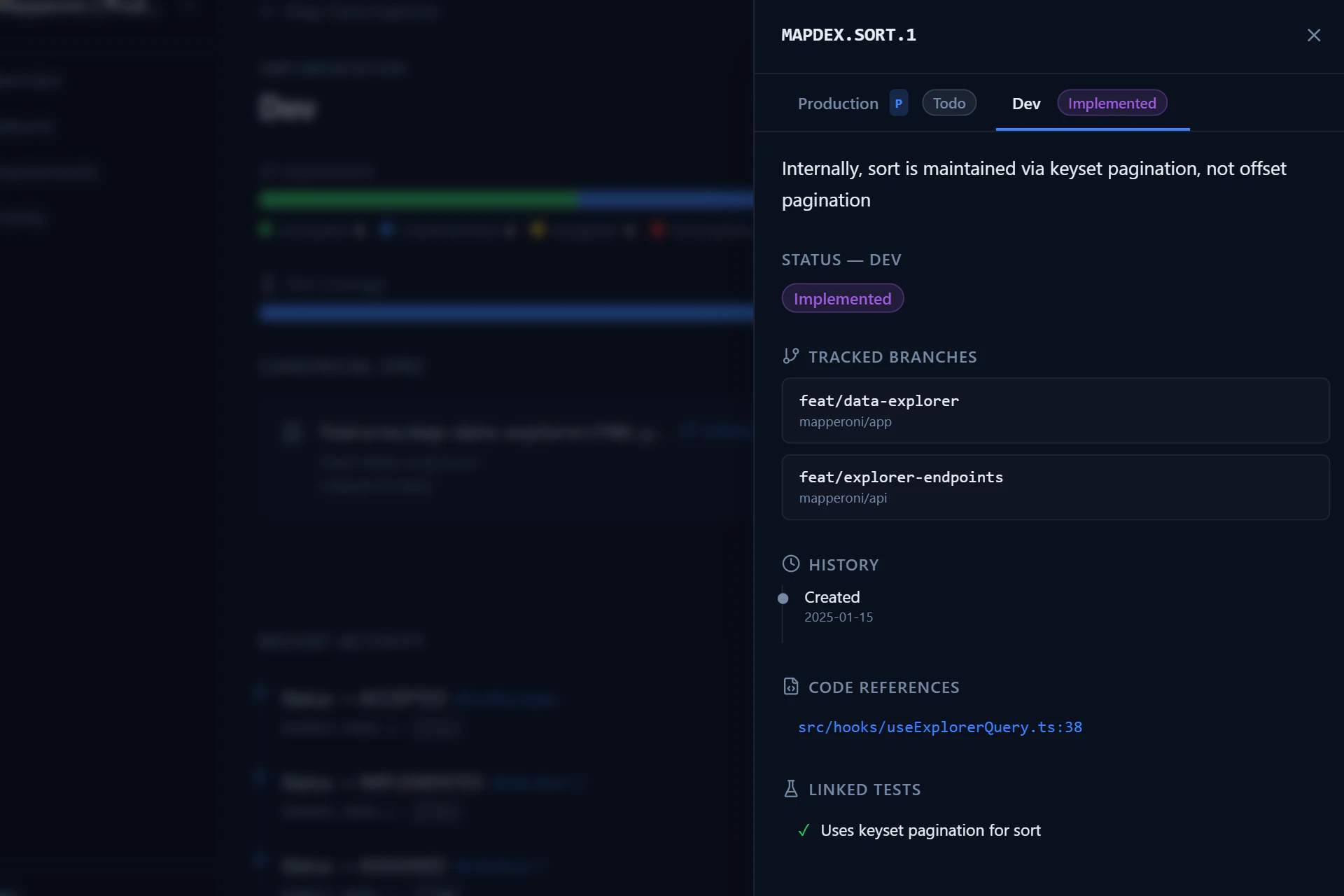
Simple example
At the top of the page you can see a fun terminal animation we created as a demo of Acai in action. Below you can see the spec, code, and tests for that animation.Why acai?
Greppable, traceable
Greppable, traceable
LLM agents love Acai IDs. They make it easy to pull in context, find references, and trace the intent of an implementation or test.
Stable, durable
Stable, durable
Stop losing progress when agents go off the rails. Your spec is the source
of truth, even as complexity grows and requirements evolve.
Rapidly iterate
Rapidly iterate
Quickly prototype, try throwaway implementations, and solidify the spec
before touching production code. The result is less time prompting, and a
better end result.
No tedium
No tedium
In the past, this level of specification rigour was painful for human teams. Today, for an LLM with access to Acai, it’s painless.
Next Steps
Agents
Learn how to integrate Acai with your AI assistants.
Writing Specs
Learn the syntax and best practices for writing feature spec files.